Meetings and tasks, one plan
Connect Google Calendar to see your calendars alongside tasks and drag tasks into time blocks. You can also start with Juno's private calendar.
See calendar planningA calmer daily planner
Bring selected tasks and emails into a plan alongside your meetings. Decide what fits today and what can wait.
7 days free. No card required.
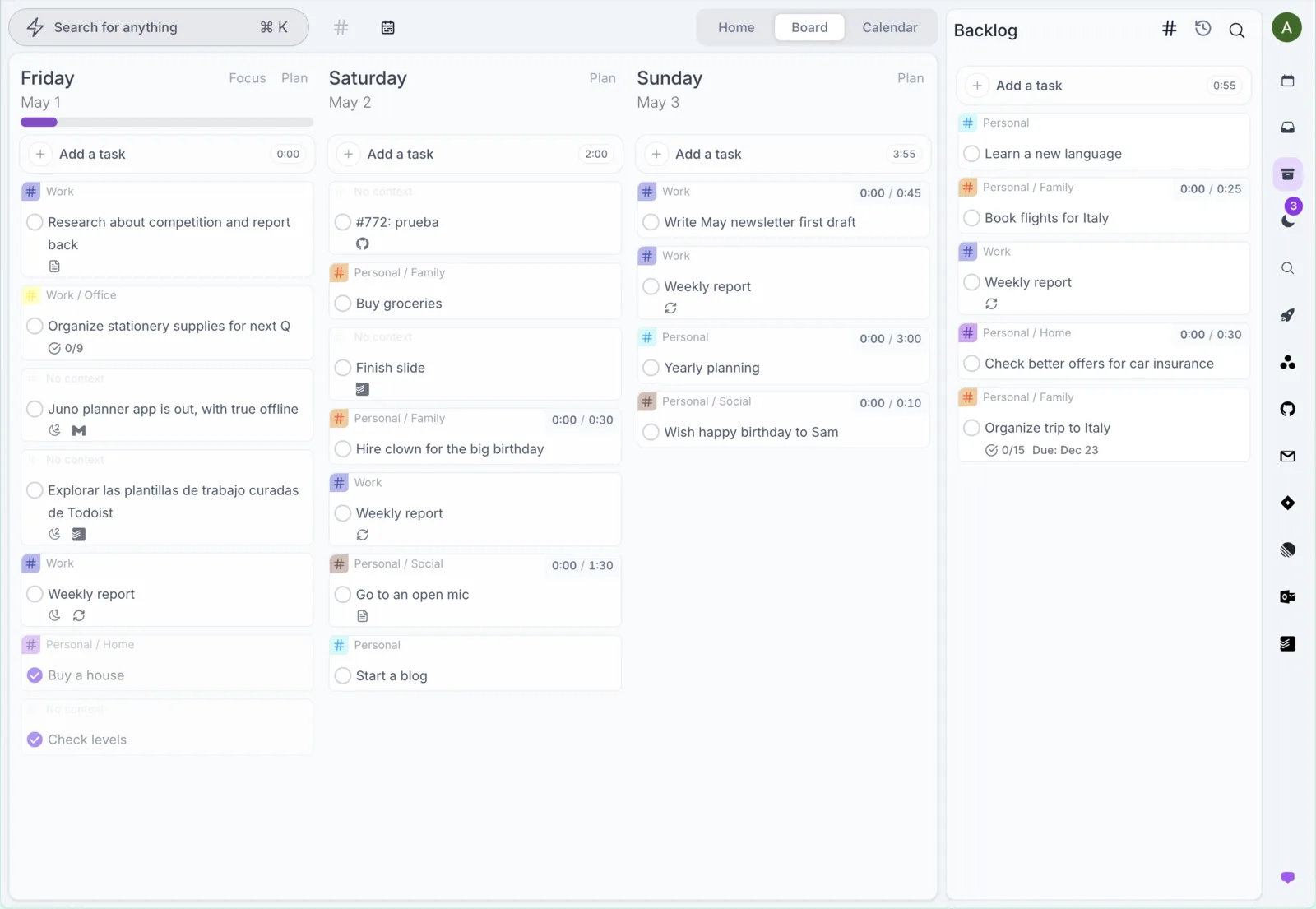
Make room for what matters
Bring in the tasks and messages that matter. Keep everything else in your backlog for another day.
Build your morning planEstimate your tasks and see them alongside meetings. Drag tasks into your calendar to reserve time, or work from your daily list.
See time blocking in JunoUse daily rituals to review what you completed, carry unfinished work forward, and close the day.
See the shutdown ritual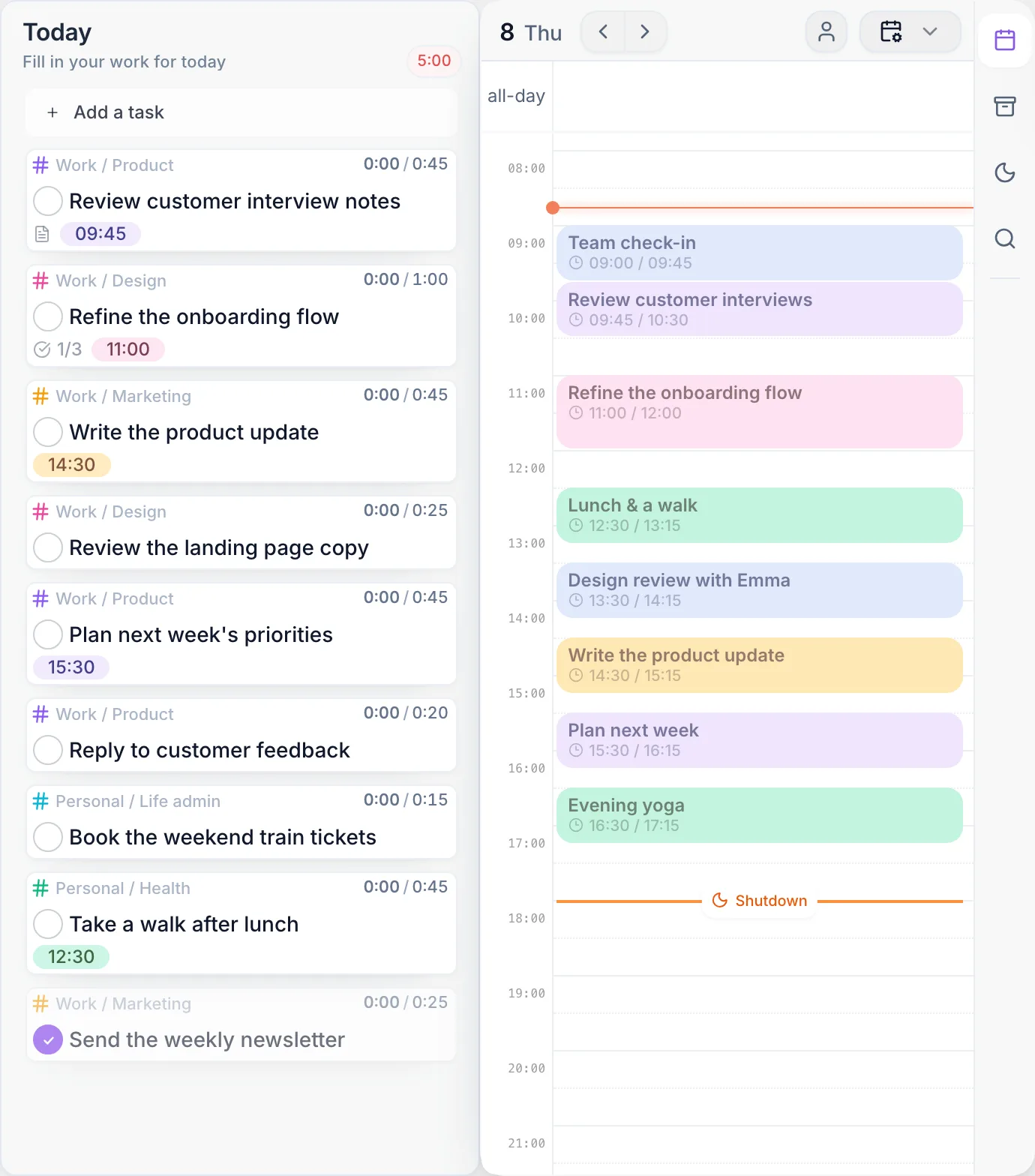
See it in action
In one minute, see how tasks, connected work, and daily planning come together in Juno.
Connected work
Browse your email, calendar, and project work in Juno. Choose what belongs in your day without moving your team to another app.
Connect Google Calendar to see your calendars alongside tasks and drag tasks into time blocks. You can also start with Juno's private calendar.
See calendar planningBrowse Gmail or Outlook in Juno and bring selected messages into your day as tasks.
See the inbox workflowBring selected issues and tasks from tools like Linear, GitHub, and Todoist into your plan. Your team keeps its existing workflow.
Explore connected work Notion
'/%3e%3c/svg%3e) Trello
Trello ClickUp
 Microsoft To Do
Organize responsibilities with contexts, tags, and recurring tasks.
See organization featuresReview and edit tasks offline. Sign-in and live integrations need a connection; task changes sync when you reconnect.
Read the offline guideFrom the community

Juno provides [...] Rituals: a user-friendly utility that helps you focus on your daily tasks [...] while keeping your focus on future tasks with the backlog tools it offers.
Alice B.
Software Engineering Manager
After trying lots of productivity tools, Juno is the first one that allows me to organize my day without spending too much time in the process.
Financial Cybersec Expert
Having my emails in the same space as my to‑dos for the day seems like a really great way to stay organised.
Reddit user
Juno has been great so far, and I definitely appreciate the push toward planning the day that comes with it.
Reddit user
I like how easy it is to review my tasks each morning.
Liam K.
Gym Owner
Great concept — your value proposition really resonates with me as someone who's interested in productivity apps/systems.
Reddit user
Juno.do looks clean and minimal. [...] It's a solid product.
Reddit user
Juno keeps me on track without overwhelming me.
Sophia P.
Product Manager
The daily rituals make my planning routine simple.
Carlos R.
Consultant
Your app looks really beautiful!
@mplacona.com (Bluesky)
This looks really cool.
@apsquared.bsky.social
Simple pricing
Try every feature free for 7 days. No card required.
$10/ month
Flexibility to pay month by month.
Billed monthly.
$100/ year
Billed yearly.
Save $20 / year
Taxes are calculated at checkout.
Yes. Add tasks directly in Juno and plan with the built-in calendar. Connect other tools whenever you need them.
No. Work from your daily list, or reserve calendar time for the tasks that need it.
No. Connect the tools you already use and bring selected items into your daily plan. Your team can keep working in the original apps.
The full product for 7 days, with no credit card required.
Choose a paid plan to continue using Juno.
Yes. Cancel from Settings → Billing. You keep access until the end of your billing period, and your data stays in your account.
Start with your next day. Bring your commitments together and decide what deserves your time.
Try Juno free7 days free. No card required.
October 11, 2026 · 4 min read
A practical daily planning method for freelancers and small business owners: choose clear outcomes, estimate the work, and make room for interruptions.
October 11, 2026 · 4 min read
Bring scattered commitments into one planning workflow. Learn what to capture from email and client tools, what to leave there, and how to choose today’s work.
October 11, 2026 · 4 min read
Plan work across multiple clients with clear next actions, realistic estimates, calendar space, and explicit trade-offs when deadlines compete.