Juno vs Akiflow
A clear daily plan, at a lighter price.
Looking for an Akiflow alternative? Juno brings selected tasks and emails alongside your meetings, so you can decide what fits today and what can wait.
7 days free. No card required.
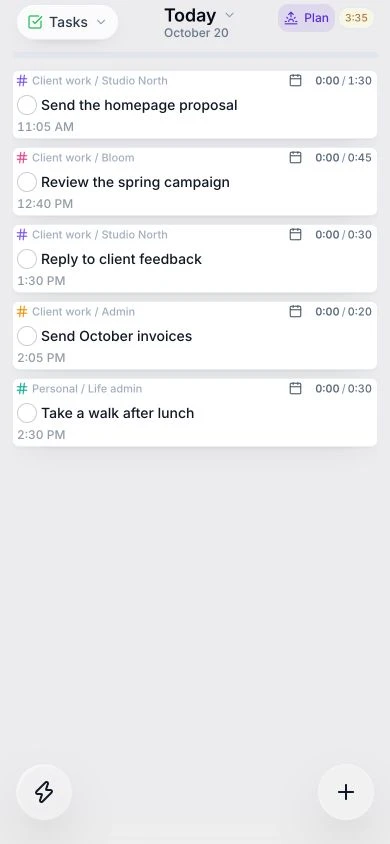
Two daily planners. A few useful differences.
| Feature | Akiflow | Juno |
|---|---|---|
| Annual price | $228/year | $100/year |
| Monthly billing | $34/month | $10/month |
| Free trial | 7 days, card required | 7 days, no card required |
Public base prices in USD. Annual prices are billed yearly. Taxes and promotions may vary. Sources & notes
Akiflow's trial terms are from its time-blocking documentation.
| Feature | Akiflow | Juno |
|---|---|---|
| Calendar planning | ✓ | ✓ |
| Time blocking | ✓ | ✓ |
| Daily rituals | ✓ | ✓ |
| Aki AI assistant | ✓ | — |
| Meeting scheduling links | ✓ | — |
Put estimates beside meetings before committing to more work.
Start the day by choosing what matters and end it with a clean shutdown.
A little more detail
Explore the way you want to work.
A few things you might be wondering.
Can I use Juno offline?
You can read, create, edit, and complete tasks offline. Changes sync when you reconnect. First sign-in and live calendar and integration refresh need a connection.
Can I bring my existing tools?
Juno connects to supported tools such as Gmail, Todoist, Linear, and Asana. Choose the work to bring into your daily plan while keeping the original tools.
Try a clearer plan for tomorrow.
Start with your own tasks and meetings. See how Juno fits your day.
Start free trial7 days free. No card required.
Sources & notes
Last checked: . Features and prices can change.