Juno vs Todoist
A realistic day beyond your Todoist lists.
Todoist organizes tasks and projects. Juno adds connected work inboxes and guided daily rituals around your calendar.
7 days free. No card required.
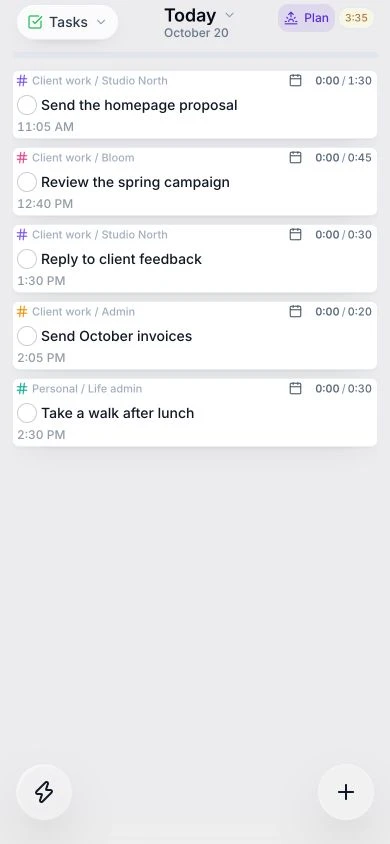
See what actually fits
Put estimates beside meetings before committing to more work.
Choose work across tools
Review supported inboxes and bring selected tasks into your day.
Give your day a rhythm
Start with a morning plan. Finish with a shutdown review.
The essentials, side by side
How they compare
| Feature | Todoist | Juno |
|---|---|---|
| Calendar planning | Calendar layout and time blocking (Pro / Business) | Drag tasks into time blocks alongside meetings |
| Email capture | Gmail and Outlook add-ons | Gmail and Outlook inboxes inside Juno |
| Daily workflow | Task lists, projects and calendar views | Guided morning and shutdown rituals |
| Offline task editing | Task edits sync after reconnecting | Local edits sync after reconnecting |
Which fits your day?
Todoist
Choose Todoist for task capture and project organization, with calendar layouts and time blocking on Pro and Business plans.
Juno
Choose Juno when reviewing connected inboxes, estimating your workload, and following morning and shutdown rituals are central to your day.
From a list to a day
Make room for the work you choose.
Keep later tasks in your backlog. Give today's priorities an estimate, check your meetings, and build a plan you can follow.
See time blocking in practice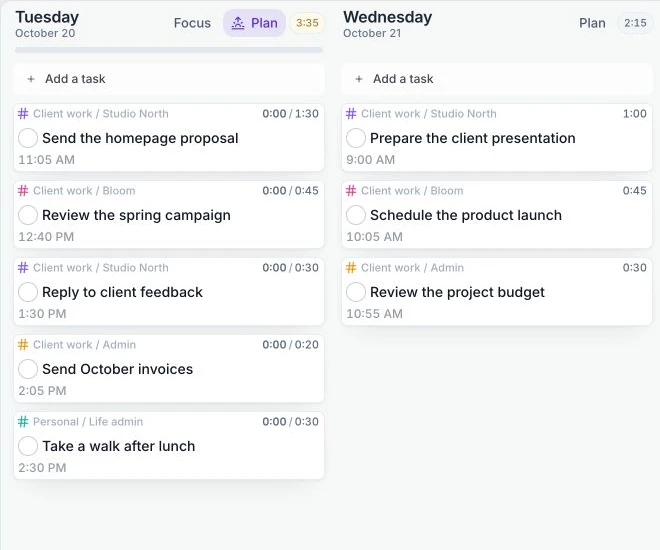
A little more detail
Explore the way you want to work.
A few things you might be wondering.
Can I keep my Todoist tasks?
Yes. Connect Todoist and choose tasks to bring into Juno. You can keep using Todoist while planning your daily work in Juno.
Can I use Juno offline?
You can read, create, edit, and complete tasks offline. Changes sync when you reconnect. First sign-in and live calendar and integration refresh need a connection.
Can I try Juno before subscribing?
Juno has a 7-day free trial with no card required, followed by a paid subscription. There is no permanent free plan.
Try a clearer plan for tomorrow.
Start with your own tasks and meetings. See how Juno fits your day.
Start free trial7 days free. No card required.
Sources & notes
Comparison reviewed on . Features and plan limits can change. Consult the official product guides linked below.
- Todoist: calendar layout and plan availability
- Todoist: time blocking
- Todoist: Gmail integration
- Todoist: Outlook integration
- Todoist: offline task editing
Juno: calendar planning, integrations, daily rituals, and mobile and offline. Task editing works offline; sign-in and live integration refresh need a connection.