Meetings and tasks, one plan
Connect Google Calendar to see your calendars alongside tasks and drag tasks into time blocks. You can also start with Juno's private calendar.
See calendar planningFeatures
Bring a task into today, give it an estimate, and see where it fits around meetings. Review your progress before planning tomorrow.
Once your day is planned, Juno helps you keep it clear across your calendar, connected work, rituals, and devices.
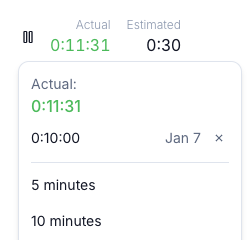

Feature walkthroughs
Loading features…
Loading features…
Loading features…
Loading features…
Bring your tasks, calendar, and connected work together. Start building a plan that fits your day.
Try Juno free7 days free. No card required.
Connected work
Browse your email, calendar, and project work in Juno. Choose what belongs in your day without moving your team to another app.
Connect Google Calendar to see your calendars alongside tasks and drag tasks into time blocks. You can also start with Juno's private calendar.
See calendar planningBrowse Gmail or Outlook in Juno and bring selected messages into your day as tasks.
See the inbox workflowBring selected issues and tasks from tools like Linear, GitHub, and Todoist into your plan. Your team keeps its existing workflow.
Explore connected work Notion
 Trello
 ClickUp
 Microsoft To Do
Open the day by deciding what matters, protect your focus while you work, and close it knowing what is done and what needs another day.
See your connected calendars in one view so your plan starts with the time you really have — not wishful thinking.
See meetings and priorities side by side, then drag work straight into open time blocks to build a day you can actually follow.
Synced events
Synced events
Synced events
