Daily Planning for Freelance Marketers
A practical daily workflow for freelance marketers balancing campaigns, client feedback, reporting, meetings, and their own business development.
A freelance marketer’s day can include writing, campaign analysis, client calls, revision requests, and finding the next project. Those activities need different kinds of attention, but they often arrive through the same stream of messages.
A daily planning system helps you choose which outcomes to finish and make room for them. This guide applies the freelancer workflow to marketing work across clients, whether you focus on content, paid media, email, social, or strategy.
Plan around deliverables and dependencies
Start with the promises that affect today: a draft due for approval, a reporting call, a campaign review, or a response a client is expecting. Identify dependencies before blocking work.
If a campaign is waiting for approved assets, distinguish what you can do now from what is blocked. You may be able to review the setup or write a checklist, but the approval itself needs a follow-up. Avoid reserving a full production block for work that cannot start.
Keep the shared campaign plan and publishing schedule in the tools your client uses. Juno is where you plan your own work on those commitments.
Replace broad activities with daily outcomes
Use a definition of done that you can check at shutdown:
| Broad activity | Finishable daily outcome |
|---|---|
| Content | Send the landing page draft for review |
| Reporting | Summarize three findings and send recommendations |
| Paid media | Review the agreed campaign metrics and document next actions |
| Client management | Confirm the brief and approval deadline |
| Business development | Send the tailored proposal to the prospect |
An outcome does not need to complete the whole campaign. It needs to describe meaningful work that can fit today. If “send the draft” is still too large, choose “finish the opening and outline the remaining sections.”
Give production, communication, and admin their own space
Check your calendar first, then allow for routine communications, admin, breaks, and unexpected revisions. Fit selected outcomes into the time left.
For a campaign launch day, plan around the moments when you need to be available:
- Before the client call: review the latest results and list the decisions needed for approval.
- After approval: reserve an uninterrupted block to revise and send the campaign copy.
- During the agreed launch window: allow time to monitor delivery and respond to issues.
- Before finishing: send a short update with results, open questions, and the next review time.
Estimate each block using the campaign's actual scope. If approval is delayed, keep the production task out of the committed schedule and choose work you can do independently. Use the realistic daily planning guide to check capacity.
Protect a continuous block for production where possible. Smaller gaps may suit approval follow-ups or preparation.
Bring requests into the plan without repeatedly checking every tool
A brief can arrive by email, feedback in Asana, and your own reminder in Todoist. In Juno, review supported connected sources and bring the items that need your time into your personal plan. Keep each next action clear and linked to its source where supported.
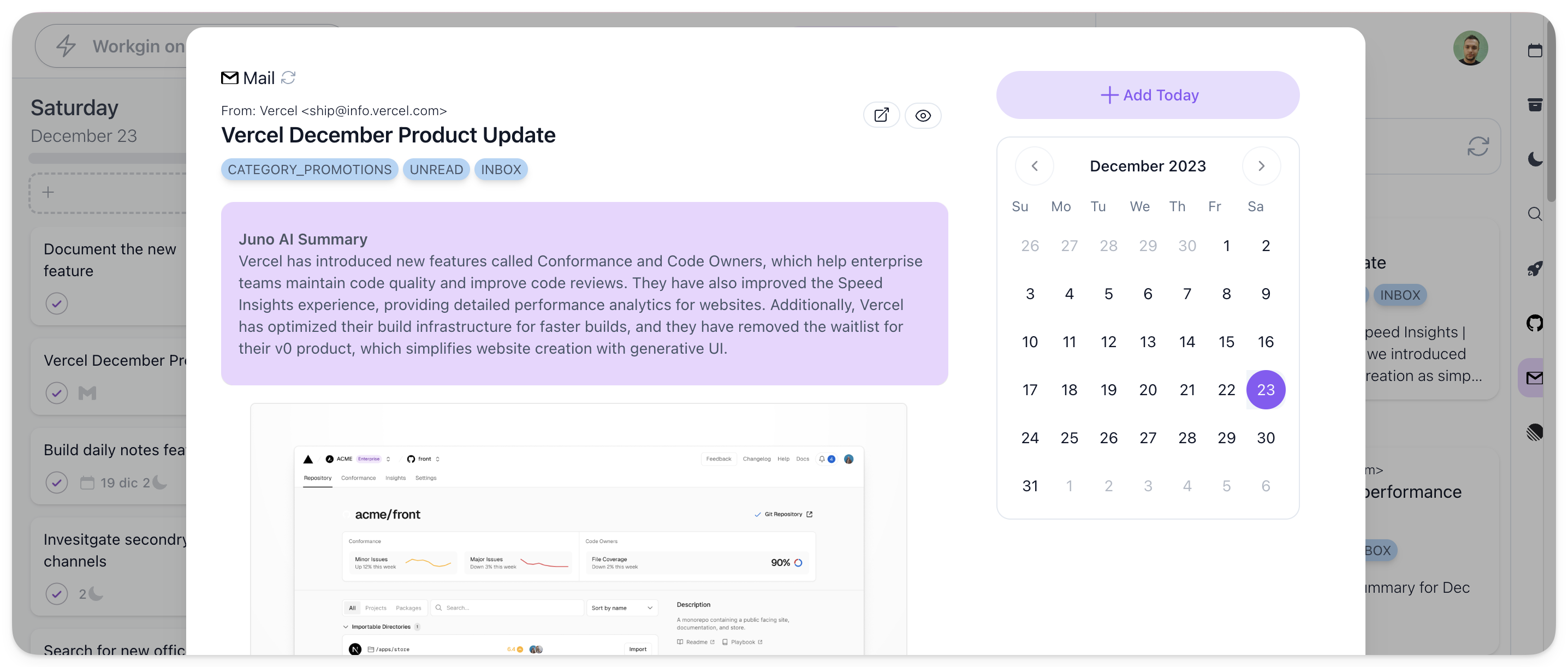
Follow the guide to tasks across email, calendar, and client apps for the full flow. Capture requests from other channels manually when needed. You do not need to change your client’s working tools to organize your own day.
Choose communication review times that match the response times you have agreed. Constantly checking for feedback can fragment a production block; disappearing for hours when a launch needs a response can create another problem. The schedule should reflect your commitments.
Treat an urgent revision as a scope and time decision
Before adding a revision, clarify what needs changing, who approves it, and when it must be ready. Estimate that work. If it needs 45 minutes today, use available buffer or move another flexible task.
If the change affects another delivery, agree the revised timing with the relevant client. A new item in the plan should not silently turn into an extra evening of work. The multiple-client workflow covers these conflicts in more detail.
End with a clear next step
During shutdown, record what you sent, what still needs approval, and the next action for unfinished work. Compare estimates with actual effort so future production and reporting blocks become more realistic.
You can use Juno on the web, iOS, and Android, and continue reading and editing tasks offline. Live integrations and calendar refresh need a connection. See mobile and offline behavior.
Can I use this when marketing is only part of my job?
Yes. Treat marketing as one responsibility alongside operations, customer work, and admin. The same capacity check applies. Explore daily planning for small business owners.
Is this a campaign calendar?
It is a plan for the work you personally need to do today. Keep publication dates and shared campaign coordination in their appropriate tools, and reserve your time to deliver what they require.