Integration automations are here
Juno can now automatically update connected work when you import it into your plan or complete its linked task.
Juno can now automatically update connected work when you import it into your plan or complete its linked Juno task.
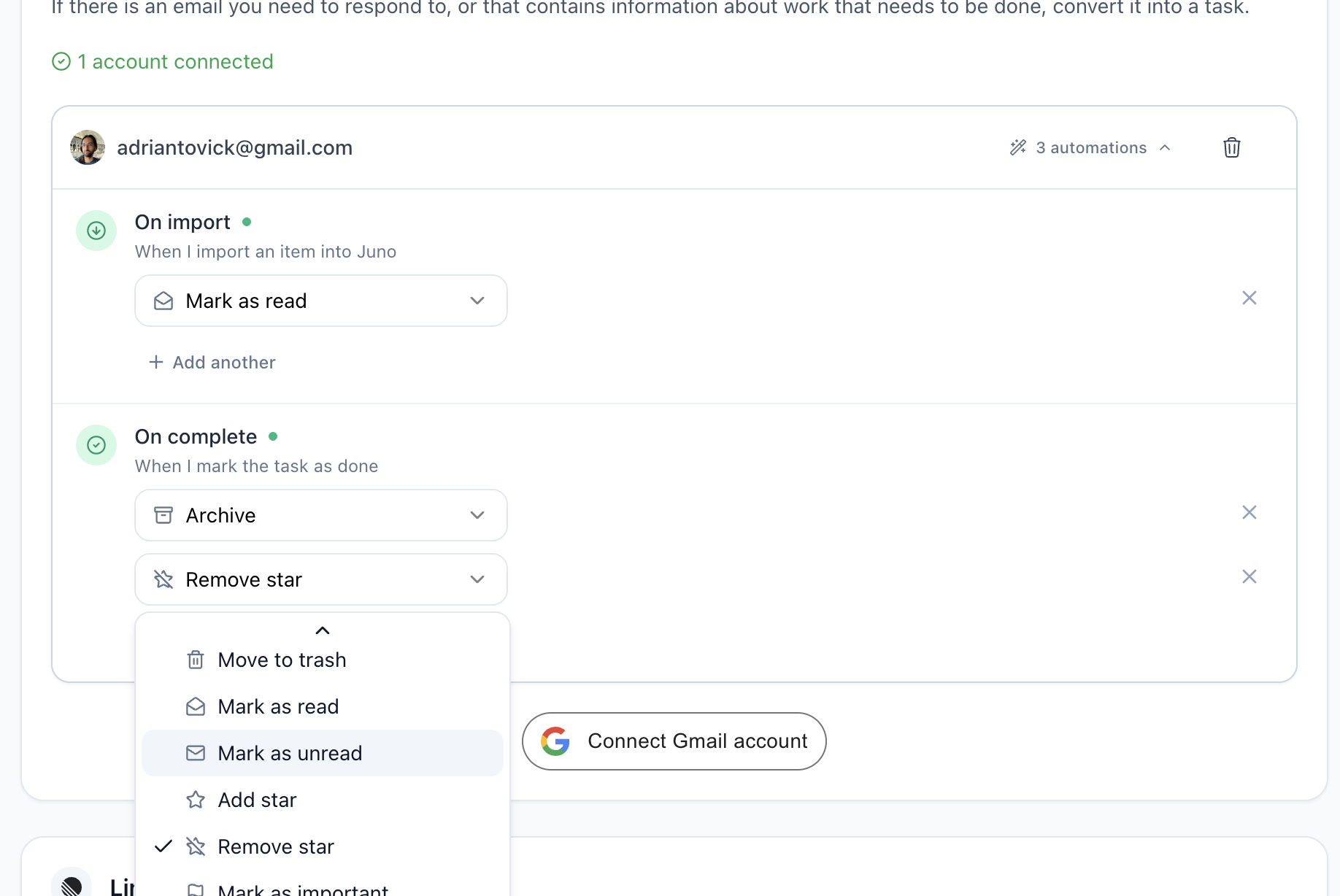
Automate repetitive follow-up across your tools
When you bring work from Gmail, GitHub, Linear, Jira, Asana, Todoist, or Outlook into Juno, you can now set an automation that triggers an action in the original tool. Mark the Juno task as done and let Juno complete the follow-up for you.
Set rules like:
- Mark an imported email as read when you add it to your planner.
- Archive the email when you complete the linked task.
- Change an issue's status when the work is done.
- Add labels or other supported actions in the connected tool.
You choose the trigger, the action, and the connected account. Juno handles the repetitive update in the background.
Set up your first automation from the settings of any supported integration.
Open integration settings to choose a connected account and review its available automations.