A lot has changed in Juno
Dependable calendar planning, clearer integrations, the full iOS and Android experience with offline sync, and a steady stream of polish have come together in Juno.
A lot has changed in Juno.
Over the last few months, the product has moved forward on a single front: making Juno a planning system you can genuinely rely on. It is clearer to use, more dependable when your day changes, and complete whether you are at your desk or on your phone.
This post is an overview of the coordinated improvements that have landed across the app.
Plan a day you can trust
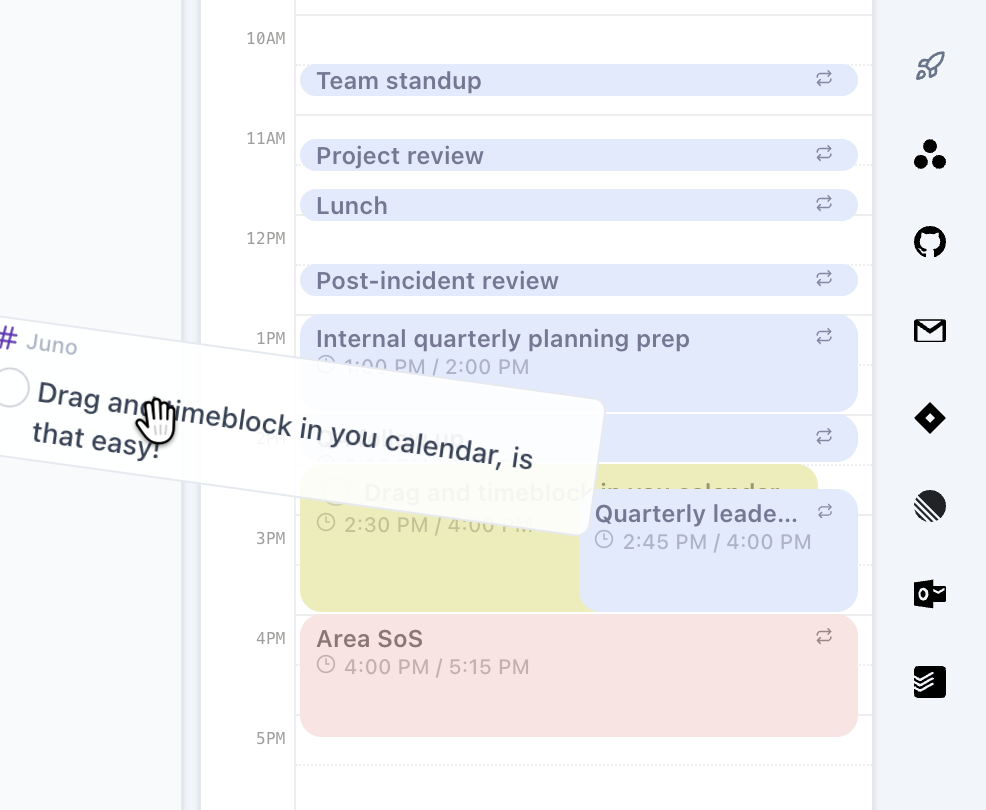
Calendar planning in Juno is now more dependable across task blocks, recurring events, time zones, and connected calendars.
You can see your meetings and priorities together, shape work around the hours you actually have, and move tasks into open time without losing track of what is changing.
Bring work into the plan, not another inbox
Work already arrives through email, calendar, Linear, GitHub, Jira, Asana, Todoist, and more. Juno's integrations have become clearer and more useful, so connected work is an input to your plan rather than another dashboard to maintain.
You can review the context, filter what matters, and turn the right item into an intentional next action.
Juno is now fully usable on iOS and Android
The mobile apps carry the full planning workflow. You can work through your ritual, review connected work, create and edit tasks, adjust your plan, and keep moving when you are away from your desk. Task changes made offline are queued and synced when you reconnect.
This is not a reduced companion experience. It is your full planner, wherever your day happens.
A polished experience, continuously
Small improvements add up when they sit inside the workflow you use every day. Some of the recent polish that has landed across Juno:
- Dark mode across the app
- Faster task search and capture with the command palette
- Clearer settings, task details, and mobile navigation
- Better drag-and-drop, synchronization, offline recovery, and data safety
- More polished calendar, integration, and focus flows
Each of these areas is already covered by a deeper release note on the blog, including calendar projections, integrations, the full mobile experience, the command palette, dark mode, and rollover. Together they make Juno feel calmer and more reliable today than it did a few months ago.
Explore the planning features or open Juno to try them with your next day.