From thought to task in a few keystrokes
Search for existing tasks or capture a new one from Juno's command palette without breaking your flow.
August 21, 20261 min readBy Juno
A useful task often starts as a thought you do not want to lose. Juno's command palette gives that thought a direct path into your plan.
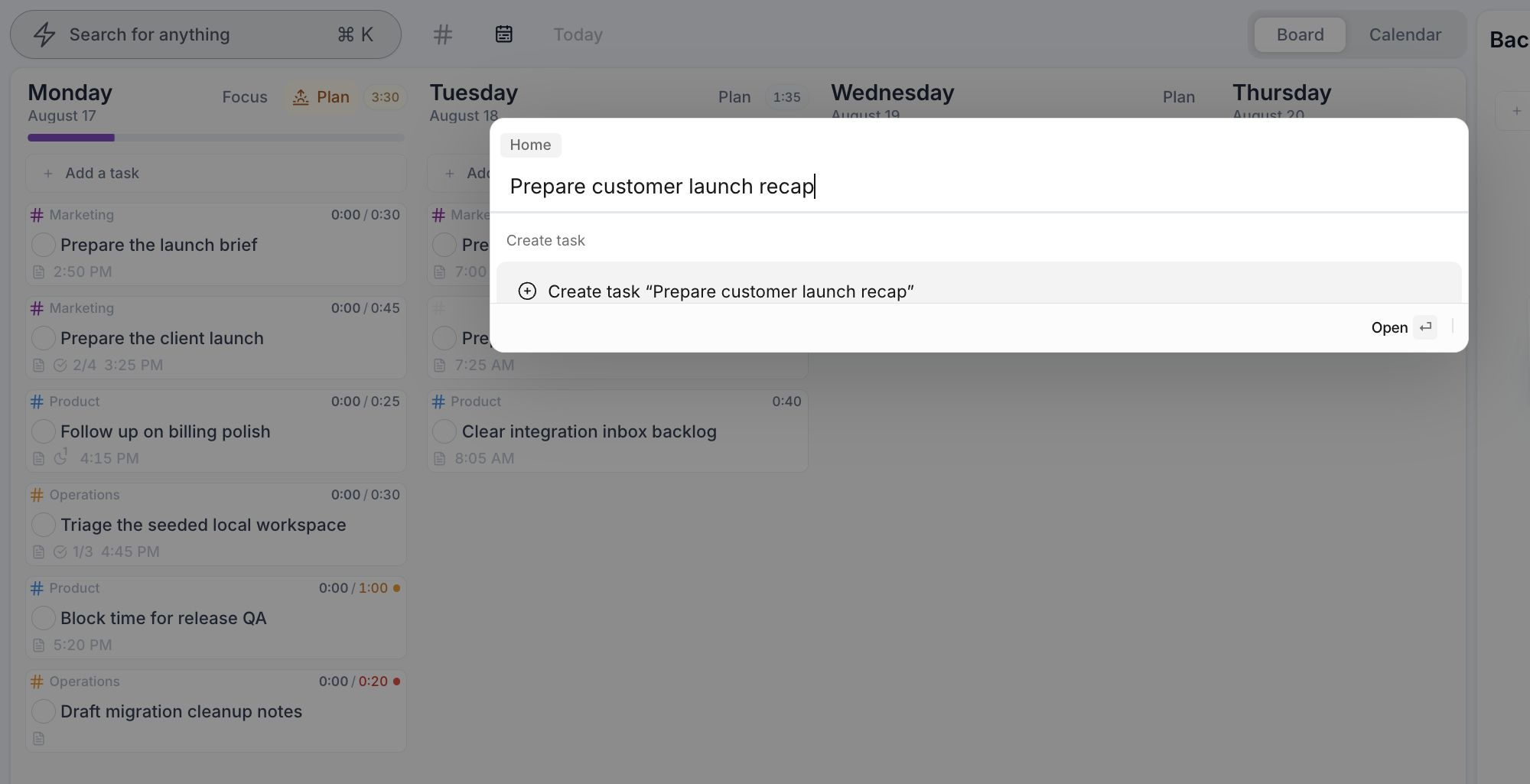
Search or create in one move
The command palette searches your tasks as you type. If the task already exists, open it immediately. If it does not, Juno offers to create it using the text you entered.
Your query stays in place while the results update, so you can move from thought to action without breaking your flow.
Press ⌘ K on macOS or Ctrl K on Windows and Linux, then start typing a task name.
Also shipped
- Task-card actions remain accessible on tablets and other devices without hover interactions.
- Multiple Jira Cloud accounts and sites can now be connected while keeping their issues separate.
- Integration settings and connected-item toolbars organize display controls and actions more consistently.
- Settings, task details, connected items, task creation, and shutdown flows feel more natural on mobile.