A better way to create tasks in Juno
Context autocomplete, richer task editing, and RSVP updates make capture and planning feel smoother.
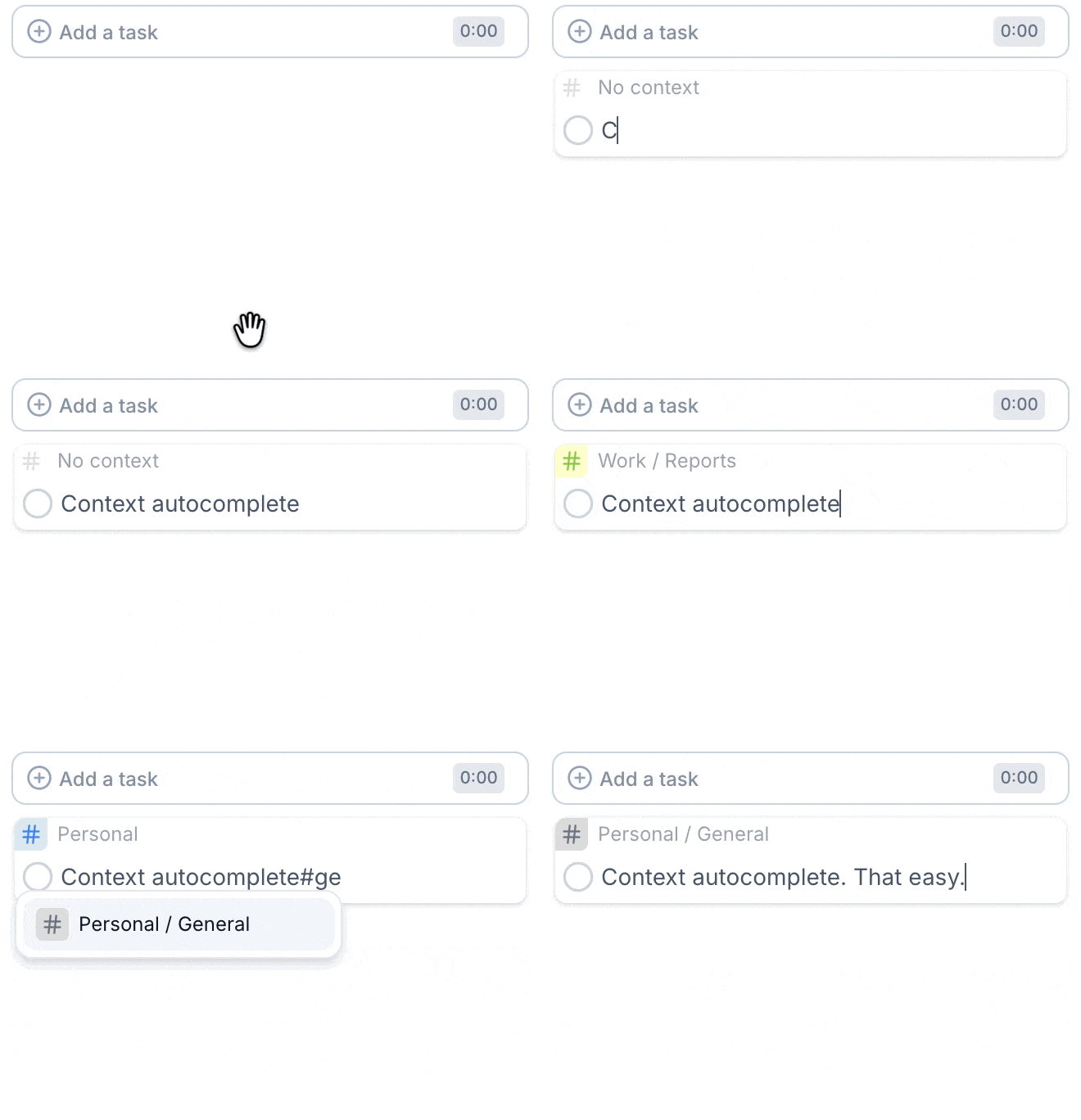
This update makes it faster to add context to a task, edit its details, and respond to calendar invitations.
Context autocomplete when creating a task
When you type # in the task creation input, Juno now suggests matching contexts and tags right away.
It is a small change, but it changes the feel of capture. You no longer have to remember the exact name, switch modes, or clean things up later. You can stay inside the sentence and keep going.
Task editing is better in a few other ways, too:
- task titles and subtasks now support links;
- subtasks support multiline editing;
- you can move tasks to the top or bottom instantly from the task context menu.
Add the detail you need while capturing the task, then return to your plan.
Update calendar RSVPs directly in Juno
Calendar events are part of the planning surface, so Juno now makes it easier to update RSVP state without jumping out of the flow.
The result is a planner that keeps more of the day's decisions in one place.
Create a task in Juno or read the tasks and subtasks guide.